AI-Assisted CRM & Reporting Workflow
From Manual CRM Administration to a Controlled AI-Assisted Workflow
Challenge | Approach | Solution | Power BI Integration | Outcome
Generous Group manages business-development information from LinkedIn, Sales Navigator, email, networking, meetings, prospect lists and external research. The CRM is maintained in Microsoft Excel and connected to Power BI.
As activity increased, manually updating Companies, Contacts, Opportunities and Activities became time-consuming and increased the risk of duplicate or inconsistent data.
The Challenge
CRM information arrived from multiple structured and unstructured sources, creating recurring questions:
- Does this company or contact already exist?
- Is this a new opportunity or simply another activity?
- How should information from LinkedIn, email or meetings be translated into CRM fields?
- How can duplicates be prevented?
- How can the existing Excel and Power BI structure be preserved?
Before automation, clear matching, validation and update rules needed to be established.

Our Approach
The priority was CRM governance and workflow design, not replacing Excel.
The solution included:
- Defining rules for Companies, Contacts, Opportunities and Activities.
- Establishing duplicate-matching logic.
- Separating lead source from communication channel.
- Using controlled dropdown values and existing CRM conventions.
- Protecting IDs, formulas, relationships and Power BI dependencies.
- Requiring human review for ambiguous or higher-risk changes.
Natural-Language CRM Updates
The workflow allows users to describe an interaction naturally rather than manually populate multiple CRM fields.
For example:
“I sent a Finance Business Partner at Goodman Fielder a LinkedIn InMail today regarding executive reporting. Follow up next Monday.”
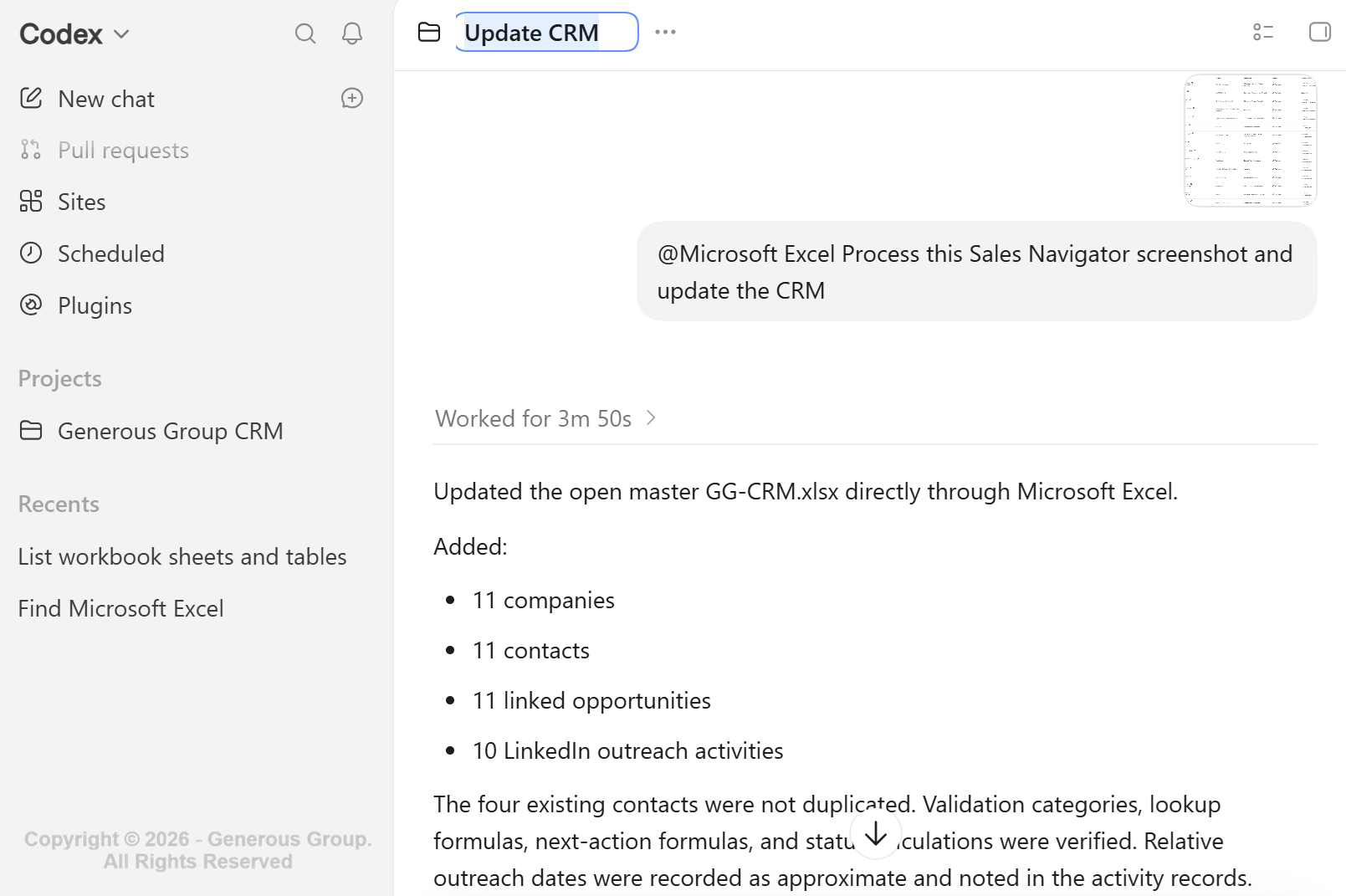
The workflow can check existing CRM records, identify or create the required Company, Contact and Opportunity records, log the Activity, establish the relationships and set the next action.
Multi-Source Data Ingestion & Enrichment
The workflow can also process information from:
- LinkedIn and Sales Navigator
- Excel and CSV files
- company websites
- email and meeting notes
- manually supplied enrichment data
Incoming information is matched against the existing CRM and classified as New, Existing, Possible Duplicate or Unmatched before significant updates are made. Company information such as Website and Industry can also be enriched without creating unnecessary opportunities or activities.
Connecting CRM Operations With Power BI
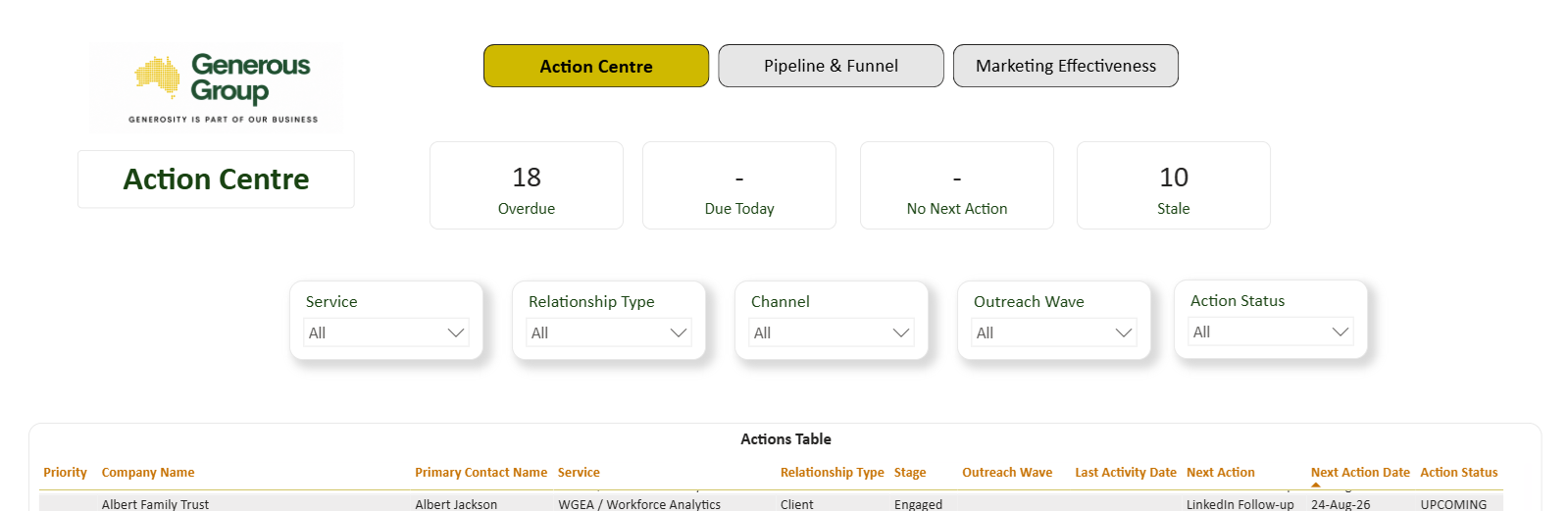
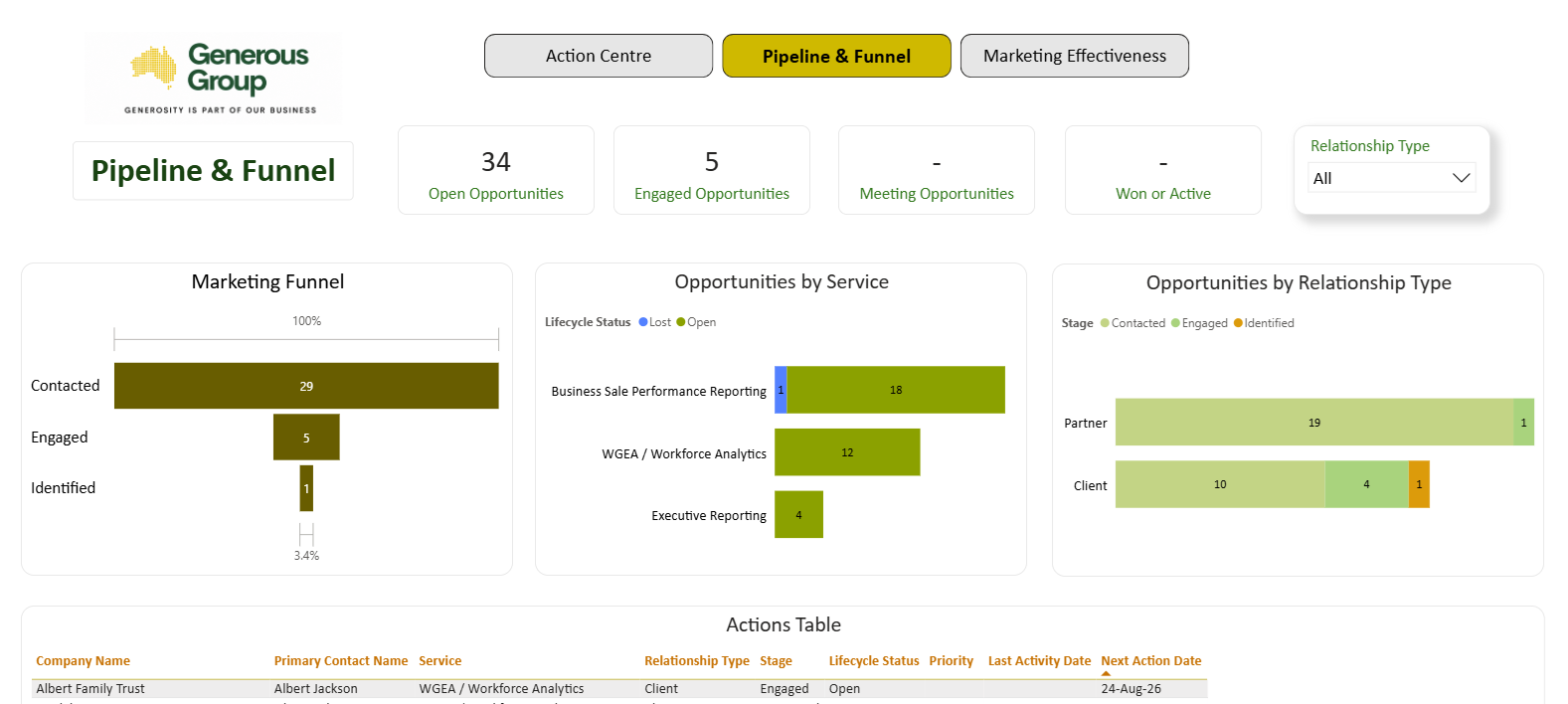
Microsoft Excel remains the controlled CRM dataset, while AI assists with data capture, matching and updating.
LinkedIn / Email / Excel / Meetings → AI-Assisted Processing & Validation → Governed Excel CRM → Power BI Reporting
This preserves the existing reporting architecture while reducing manual CRM administration.
The Outcome
The workflow successfully demonstrated the ability to:
- create and correctly relate CRM records
- update existing company information
- process multiple data sources
- detect and avoid duplicates
- preserve validation rules and formulas
- feed the existing Power BI reporting model
CRM maintenance moved from manually navigating multiple tables toward a process where the user mainly provides the source information and the system handles the underlying data structure.
AI-assisted input. Governed data. Trusted reporting.
The result is a more efficient workflow without sacrificing control over the underlying business data.
What This Case Demonstrates
- AI-Assisted Workflow Automation
- CRM Data Governance
- Multi-Source Data Ingestion
- Duplicate & Data Quality Controls
- Excel Workflow Integration
- Power BI Reporting Integration
Facing Similar Manual Data & Reporting Challenges?
If important business information is spread across Excel, emails, CRM exports and other sources, Generous Group can help design a more structured workflow that reduces repetitive administration while maintaining a trusted reporting dataset.